Tool and Workflow for Growth: LinkedIn + CRM + Client Journeys + AI (and MCP Servers) for IP Experts

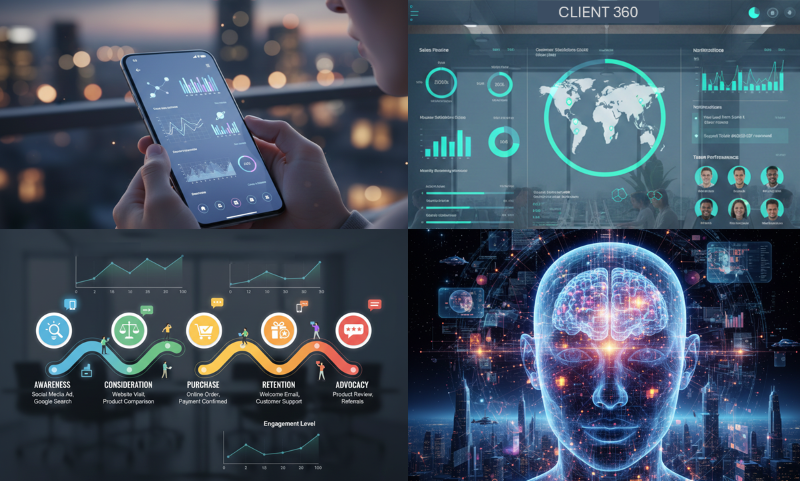
Many IP experts treat LinkedIn as a place to “post something occasionally.” That usually creates visibility, but not a predictable pipeline. The more reliable approach is to see LinkedIn as the front end of a client journey, and your CRM as the memory of that journey. AI then becomes the layer that helps you keep the system consistent, relevant, and lightweight.
This is exactly where IPBA Connect helps: it gives you ready-made channels and formats to publish, test, and repeat your most effective messages, without building a complex tech stack from scratch.
The mindset shift: from posts to pathways
A prospect rarely becomes a client just because of one post. They become a client because they repeatedly encounter a clear point of view, recognize themselves in the problem framing, and then see a safe next step.
So the question is not “What should I post?”. The question is: What pathway do I want the right people to follow from awareness to a qualified conversation? That is fundamentally different from “chasing clients on LinkedIn” through random DMs and hard pitches: the goal is to design an opt‑in journey where interested prospects raise their hand because every next step is genuinely useful.
A practical client journey for IP services often looks like:
- Awareness: a strong perspective on a recurring business problem (not a legal lecture)
- Consideration: a short, concrete framework or checklist that helps decision-makers think
- Decision: a structured orientation call that clarifies fit and next steps
- Engagement: a first project that reduces uncertainty and creates momentum. If you want to see what this looks like in real life on IPBA Connect, take a look at the case of Dr. Alihan Kaya (from Green IP to Growth) and how he turned a clear topical focus into a systematic BD engine:
https://ipbusinessacademy.org/from-green-ip-to-growth-how-dr-alihan-kaya-builds-digital-visibility-and-a-systematic-bd-engine-on-ipba-connect.
A second, equally practical example is Sebastian Goebel, showing how an IP Subject Matter Expert can convert digital visibility into systematic business development:
https://ipbusinessacademy.org/sebastian-goebel-on-ipba-connect-how-an-ip-subject-matter-expert-turns-digital-visibility-into-systematic-business-development.
Why the CRM matters more than your content calendar
LinkedIn is great at reach, but it is not designed to remember context. Your CRM is. If you want conversion, you need a place where you track:
- who engaged with which topic
- what they self-identified as interested in
- what stage of the journey they are in
- what the next best offer is for them
This is where many IP experts get stuck: they either avoid CRM work entirely, or they turn it into heavy administration.
The goal is the opposite: minimal input, maximum clarity.
Use “offers” as the engine of progress
Conversion improves when you stop asking prospects to “contact me if interested” and instead provide small, attractive offers that match their stage.
For IP experts, strong offers are rarely discounts or generic brochures. They are clarity tools:
- a short guide: “How to brief your patent attorney for AI inventions without wasting budget”
- a checklist: “What to collect before an FTO conversation”
- a 30-minute orientation call with a simple agenda
- a template: “How to write a complete invention disclosure”
Each offer should have a clear audience, a clear problem, and a clear outcome.
Where AI fits: consistency, relevance, and speed
AI helps in three places:
- Translation: turning deep expertise into decision-ready language
- Personalization: adapting one core message to different industries and roles
- Operations: keeping the CRM and content rhythm consistent with minimal effort
Used well, AI does not replace your thinking. It reduces friction:
- draft variations of a post for different target segments
- summarize call notes into structured CRM fields
- propose the next best piece of content for a contact based on prior interactions
What an MCP server is (in plain language)
An MCP (Model Context Protocol) server is a safe “connector layer” that lets AI interact with your tools, like your CRM, your content library, or your analytics, through controlled functions.
Think of it as a switchboard:
- AI can ask your CRM for structured fields (not random scraping)
- AI can write back only what you allow (for example, a score and a short reason code)
- you keep governance: what is stored, what is ephemeral, and what is blocked
For IP experts, the practical advantage is not fancy automation. It is repeatability with low manual effort.
The compliant, lightweight scoring model
Many people want to score LinkedIn contacts by “activity” or profile signals. That is where teams often run into platform limits and compliance risks.
A cleaner approach is: score only what prospects intentionally give you (opt-in), plus what you observe in your own channels.
Examples of valid scoring signals:
- a form selection: “interested in licensing strategy”
- a download of a specific guide
- registration for a topic-specific event
- a reply to a newsletter
- attendance in a live session
In your CRM, you store:
- an interest profile (topics + industries)
- a stage in the client journey
- a cooperation score for a specific service
- short reason codes (not copied platform data)
That is enough to prioritize outreach without building a complex data machine.
How IPBA Connect reduces your technical workload
IPBA Connect is designed as a publishing and business development system for IP Subject Matter Experts. Instead of building your own full media setup, you use established channels and formats:
- platform publishing formats that create trust fast
- repeatable content structures that fit IP topics
- community touchpoints that keep your name present
- a rhythm that supports “always relevant” offers
The result is that you can operate a client journey with a very small internal setup:
- LinkedIn as the reach layer
- IPBA Connect as the structured content and credibility layer
- your CRM as the memory layer
- AI (optionally with an MCP server) as the operational glue
What “low-tech” looks like in practice
A realistic weekly routine for an IP expert can be:
- one strong LinkedIn post (problem framing + one small offer)
- one follow-up content piece through the platform channels
- a short CRM update after conversations
- one orientation call slot reserved for qualified prospects
You do not need dozens of tools. You need a pathway, a few offers, and a system that can repeat.
Closing thought
LinkedIn visibility is helpful, but conversion improves when prospects experience continuity: the same clarity, the same tone, and the same next step, again and again. When your content, CRM, and offers are connected, growth stops being random and starts being operational.